

OpenAI is capturing the attention of everyone, and ChatGPT is proving to be a promising tool for getting reliable answers on any subject.
Everyone in business has one obvious question right now: can generative ai capabilities be used to answer various questions about their data?
The good news is yes, you can create an application that talks with your data and use generative ai capabilities to respond.
This blog is all about how we have developed the system. Considering the AI application we have decided to go with Python
Our data policies, rules, and regulations and typically stored in pdf format and we followed the below steps
- Read the data in the pdf files
- Split the data into overlapping chunks
- Each chunk needs to be converted into an equivalent vector
- Store all vectors and chunks in the vector store.
- Prep the UI components
- Get the user query
- Convert the query into an equivalent vector
- Do the similarity search based on the vector
- Take the top 5 matching chunks
- Creation of prompt with chunks and query
- Execute the completion API with the input of prompt and model name
- Respond to User
That’s a lot of steps, yes, and don’t get afraid if you encounter new words in the above steps.
Let’s elaborate one by one.
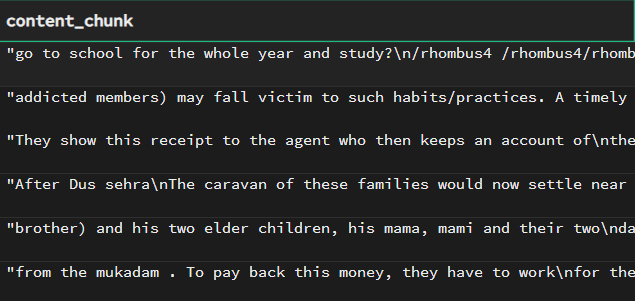
- Overlapping chunks:
A chunk is a portion of pdf text which has 1000-1200 words in it, now these chunks are created such that the ending portion usually lasts 200 words, it will be the starting point of the next chunk.
This will help the system to identify the related chunks.
We have used PyPDF2 for reading pdf the files and creating chunks out of it.
2. Vector store / Embeddings:
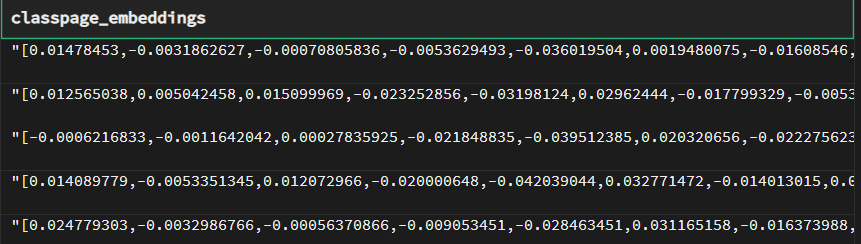
The vector is a binary representation of the chunk, we need to convert the chunks into vector representation to find out similarities between the user question and chunks. To do the similarity searches faster we need to vector representation which carries out searching faster as compared to plain texts.
There are many vector databases, we have explored FAISS and Supabase(Postgres).
Typical embeddings from
3. Prompt :
A prompt is an input for open API, it will work on input and respond. To make this effective the system needs to follow some guidelines as mentioned in the documentation of open API. For example, the prompt design, it consist of a user query as the first line followed by new line(s) and a statement like “Use the following information to answer the above query:”
Followed by similar chunks. There can be many ways to build the prompt.
To simplify this entire process we have used the lang-chain framework, which has inherent capabilities to work with LLM of OpenAI or HuggingFace
Resource Center
These aren’t just blogs – they’re bite-sized strategies for navigating a fast-moving business world. So pour yourself a cup, settle in, and discover insights that could shape your next big move.
How Can AI Tools Like Claude, Perplexity & Copilot Help Us Build Future-Ready Platforms?
In recent years, the rapid adoption of Artificial Intelligence (AI) has changed the way we design, develop, and scale digital platforms. When I look at the evolving technology landscape, I [...]
From Web to iOS: How AI Helps Us Build Cross-Platform Apps Faster
In today’s fast-paced digital landscape, businesses are under pressure to deliver seamless experiences across devices. A customer might browse a product on a web app, check reviews on their Android [...]
How We’re Using Qdrant + Gemini 2.5 to Deliver Smarter Software Applications?
In today's rapidly evolving tech landscape, building intelligent, responsive, and scalable applications is paramount. At Inceptive Marketing, we’ve harnessed the combined power of Qdrant, an efficient vector database, and Gemini [...]